> For the complete documentation index, see [llms.txt](https://support.paycargo.com/llms.txt). Markdown versions of documentation pages are available by appending `.md` to page URLs; this page is available as [Markdown](https://support.paycargo.com/general/what-is-an-overnight-limit.md).
# What is an Overnight Limit?
### Overview
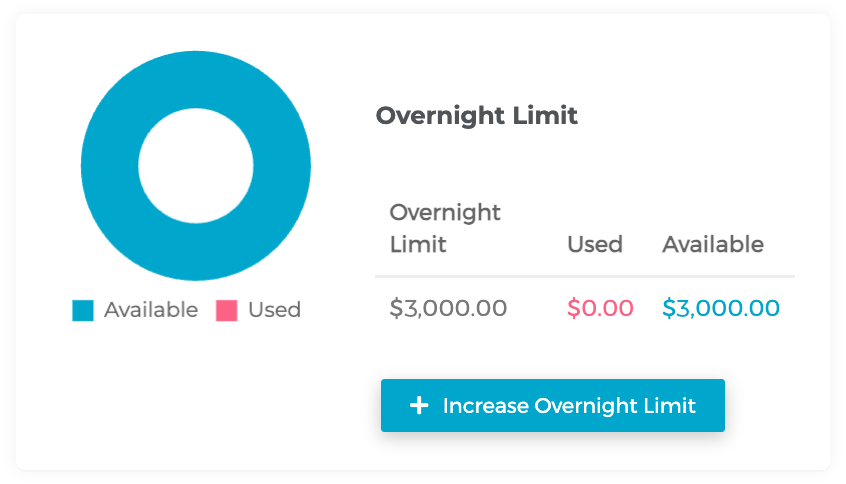
An **Overnight Limit** is a feature that allows a payer to approve transactions using ACH up to a specific amount over a three-business-day period. Approved transactions reserve part of this limit until they clear at the end of the processing window.
* All accounts are subject to a **minimum overnight limit of $3,000** upon sign-up.
### How it Works — Increasing Limit
1. **Log in:** Sign in to your PayCargo account using your registered username and password.
2. **Access funds:** Navigate to **Funds** from the dashboard or main menu to view your current Overnight Limit availability.
3. **Increase limit:** Review your used and available funds, then select **Increase Overnight Limit** if additional capacity is needed. Complete the request form by filling in all required fields.
4. **Submit your request:** Send your request to PayCargo’s Support Team. A confirmation message will appear once submitted, and the team will follow up with next steps.
{% @arcade/embed flowId="f6ZEMCEdAh1teTAOXJMW" url="" %}
:check: **Applies to ACH Payer accounts only:** This limit is available to all registered ACH Payers
:check: **Temporary reservation of funds:** When a transaction is approved, the corresponding amount is temporarily reserved against your available overnight limit until the transaction clears
:check: **Cleared Limit:** Once the transaction completes, the reserved funds are released and become available for new approvals
This structure helps payers manage payment volume efficiently while maintaining secure financial controls.
### Related Questions
What determines the overnight limit?
The right to manage and set the overnight limit on payers' accounts is reserved for PayCargo Support Specialist team based on account history and financial standing.
Are there any alternatives to the Overnight Limit?
If not paying using ACH, you could use any other payment methods, such as credit card or PayCargo Credit.
---
# Agent Instructions
This documentation is published with GitBook. GitBook is the documentation platform designed so that both humans and AI agents can read, navigate, and reason over technical content effectively. Learn more at gitbook.com.
## Querying This Documentation
If you need additional information that is not directly available in this page, you can query the documentation dynamically by asking a question.
Perform an HTTP GET request on the current page URL with the `ask` query parameter, and the optional `goal` query parameter:
```
GET https://support.paycargo.com/general/what-is-an-overnight-limit.md?ask=&goal=
```
`ask` is the immediate question: it should be specific, self-contained, and written in natural language.
`goal` is optional and describes the broader end goal you are ultimately trying to accomplish on behalf of the user. GitBook uses it to tailor the answer towards what is most useful for that goal.
The response will contain a direct answer to the question and relevant excerpts and sources from the documentation.
Use this mechanism when the answer is not explicitly present in the current page, you need clarification or additional context, or you want to retrieve related documentation sections.